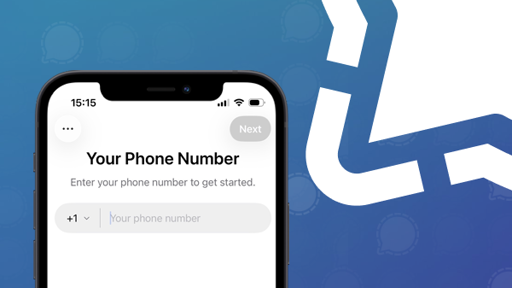
Signal is working on a way to sign up without a phone number. The feature has not yet been officially confirmed, and it is not yet known whether it will be available to all users or in what form.
I tried XMPP but could not find a client that let me have a “video call” where I could share my screen without also needing a webcam. Or even have a video call where not everyone is forced to have a video flux. As far as I can tell an audio call cannot be turned into a video call for 1 streamer.
Like in Discord where one want to share its screen while playing. XNPP was my biggest hope to replace Discord with my friend but I either did not find the correct client or the ecosystem is not mature enough (or oriented in the direction I expected).
Yeah, screensharing is not a thing in most clients, but I think it’s a matter of time (years?) before it’s properly implemented. In the meantime, you can use jitsi meet? Not sure if it covers your use case. I’ll just copy this reddit comment, which has some good info:
Yes, it’s possible, but with some limitations.
For video calls between a Linux and a Windows client using ejabberd, you need an XMPP client that supports WebRTC. Some options: • Dino (Linux) – Supports video calls but no screen sharing. • Gajim (Linux/Windows) – Can do video calls with plugins, but no screen sharing. • Jitsi (XMPP mode) – Supports WebRTC and screen sharing but requires a separate Jitsi server.
Since most XMPP clients don’t natively support screen sharing, you have two main options: 1. Use Jitsi Meet, which integrates with XMPP and allows both video calls and screen sharing. 2. Use OBS VirtualCam (on Windows) to share the screen as a “camera” in a video call.
If you want a fully functional setup with both video calls and screen sharing, setting up Jitsi Meet with ejabberd is the best approach.


I tried XMPP but could not find a client that let me have a “video call” where I could share my screen without also needing a webcam. Or even have a video call where not everyone is forced to have a video flux. As far as I can tell an audio call cannot be turned into a video call for 1 streamer.
Like in Discord where one want to share its screen while playing. XNPP was my biggest hope to replace Discord with my friend but I either did not find the correct client or the ecosystem is not mature enough (or oriented in the direction I expected).
Yeah, screensharing is not a thing in most clients, but I think it’s a matter of time (years?) before it’s properly implemented. In the meantime, you can use jitsi meet? Not sure if it covers your use case. I’ll just copy this reddit comment, which has some good info: